Guy Klages
Technical Writer, Co-founder FindFit (Ex-Microsoft, Ex-Apple, Ex-Netflix, Ex-Google)
View all authors

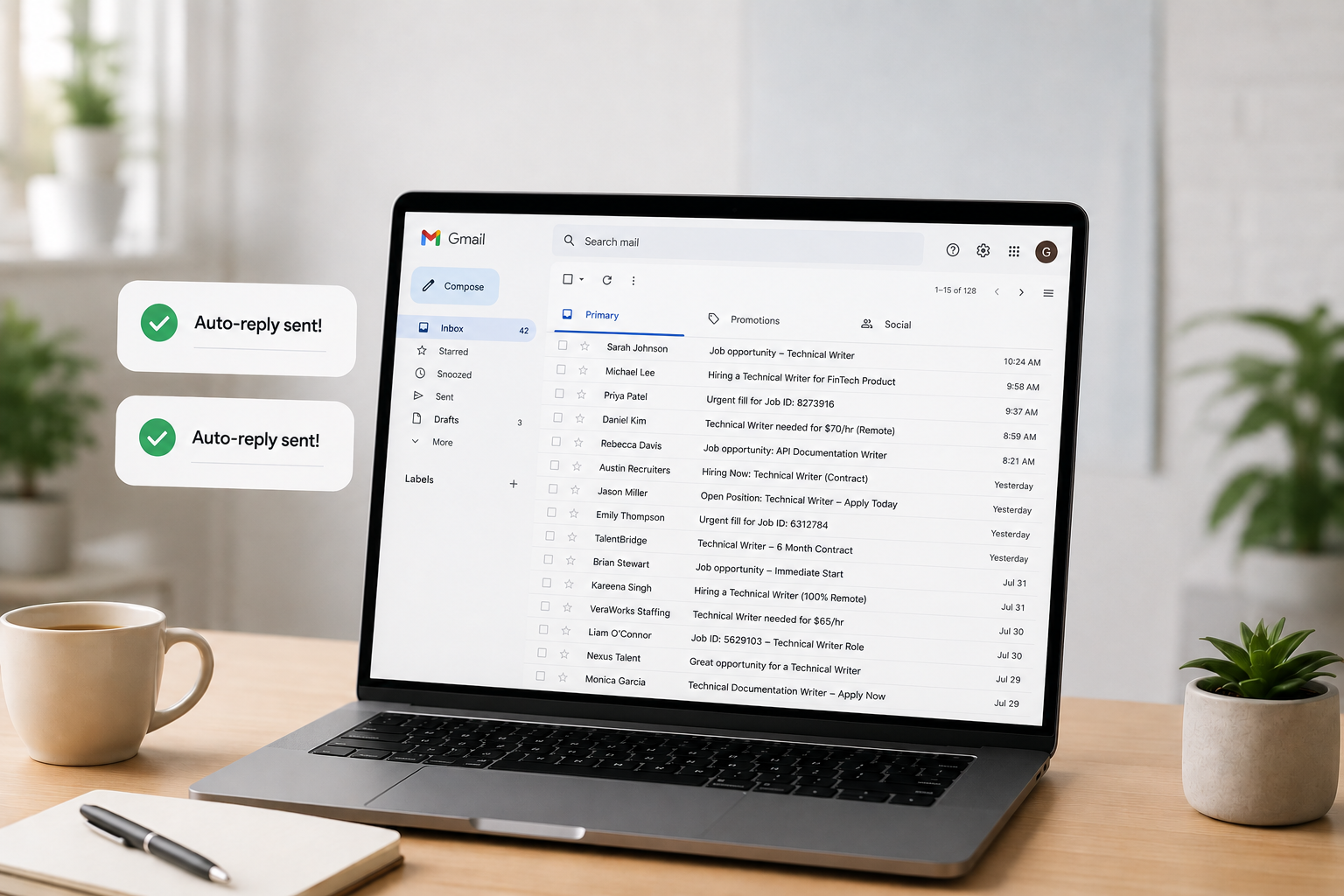
Gmail agent for job auto-replies

· 10 min read
Guy Klages
Technical Writer, Co-founder FindFit (Ex-Microsoft, Ex-Apple, Ex-Netflix, Ex-Google)
Gmail agent for job auto-replies

This article describes how I built a privacy-first agent (with Mistral and Ollama) that drafts customized
replies to recruiter emails without sending my inbox to the cloud.

The problem

Like many people job hunting, I get a steady stream of recruiter emails. Many are missing one or more key components: Job ID, pay range (required in California), or complete job description. And they want a quick reply with a resume attached.

I wanted an agent that would:

  1. Watch my Gmail inbox for job-related messages
  2. Detect whether an email is actually a job description
  3. Draft a reply using exact wording I specified
  4. Attach my latest resume
  5. Run entirely locally for security (no LLM API calls with email content)

My target account: guy.klages@gmail.com

Prerequisites

Before writing an agent, you need to have a clear list of which emails you want to reply to. I used Gmail's built-in Filters to distill which emails to target and then the built-in Labels feature to tag those filtered emails with a "Job" label.

Stack:

  • Python 3.12 + Gmail API
  • Ollama + Mistral 7B (local)
  • Gmail filters for the "Job" label (upstream of the agent)

Important caveats

As you write your prompt, these are good things to keep in mind:

AdviceDescription
Output to draftYou will likely need to modify this email agent many times to perfect it, so you don't want this agent to auto-reply until after you've worked out all the kinks.
Structured loggingLog the subject, sender, classification result, and the conditional paragraphs to make debugging reply content easy.

The overall process is:

Gmail Filters route → local LLM classifies → code templates reply → human approves send.

What I asked for (the initial prompt)

I asked Cursor to build an agent to write a customized email reply to any email tagged as "Job" with the following reply rules:

Always start with:

Hi, thank you for your email, I have attached my latest resume.

If the email lacks "Job ID" (subject or body):

To prevent duplicate submission, please tell me the Job ID.

If there's no numeric pay range:

California state law requires Job Descriptions to include the pay range. Please tell me their budgeted W2 pay range for this role.

Always end with:

To answer common questions:

  • I'm a US Citizen
  • My legal name is Guy Klages
  • My birth month and day are 0231
  • I don't have any vacations planned
  • I just started initial rounds of interviews with three other companies.

Please email me for any other questions or send me the RTR.

Thank you

And one hard constraint: use Mistral locally—no cloud LLM processing email content.

Architecture

The biggest design decision was not letting the LLM write replies.

TaskToolWhy
"Is this a job description?"Local Mistral via OllamaNeeds judgment; must stay on-device
Job ID present?String searchExact, deterministic
Pay range present?RegexExact, deterministic
Reply bodyPython templateZero wording drift

The following is a flow diagram:

Lesson for builders Use the LLM for classification only. Put legal/compliance/personal boilerplate in code.


Project structure

gmail-job-agent/
├── agent.py # Main poll loop
├── classifier.py # Ollama/Mistral YES-NO classification
├── reply_builder.py # Deterministic reply rules
├── gmail_client.py # Gmail API: read, draft, label
├── setup_auth.py # One-time OAuth
├── config.yaml # Account, resume path, mode, labels
├── credentials.json # Google OAuth client (gitignored)
├── token.json # Refresh token (gitignored)
└── com.guyklages.gmail-agent.plist # Optional macOS background job

Step 1: Google Cloud and Gmail API

Setup

  1. Google Cloud Console → new project
  2. Enable Gmail API
  3. OAuth consent screen → External, Testing mode
  4. Credentials → OAuth 2.0 Desktop app
  5. Download JSON → save as credentials.json

Scopes needed

gmail.readonly
gmail.send
gmail.modify

Notes:

  • gmail.send is required for drafts.
  • modify is required for labels.

Error 403: access_denied

After running setup_auth.py, I hit:

Access blocked: Gmail-autoreply-to-job-agent has not completed the Google verification process

Cause: OAuth apps in Testing mode only work for explicitly listed test users.

Fix:

  1. APIs & ServicesOAuth consent screen
  2. Test users → Add guy.klages@gmail.com
  3. Save, wait ~1 minute, rerun setup_auth.py

Notes:

  • You do not need Google verification for a personal single-user agent.
  • Testing mode + your email address as a test user is enough.

Step 2: Local Mistral with Ollama

brew install ollama

brew services start ollama

ollama pull mistral

Health check from Python:

requests.get("http://localhost:11434/api/tags")

Mistral ignores YES/NO

Early on, /api/generate returned " Job Opening" instead of YES or NO.

Fix: Switch to the chat API with a strict system prompt, plus fallback parsing:

messages = [
{
"role": "system",
"content": (
"You classify incoming emails. Respond with exactly one word: "
"YES if the email is about a job opening or job description, "
"otherwise NO. Do not explain."
),
},
{"role": "user", "content": f"Subject: {subject}\n\nBody:\n{body}"},
]

If the model still wanders, parse markers like JOB OPENING, HIRING, NOT A JOB, etc.

Lesson Never assume instruction-following models follow instructions. Always validate and parse defensively.


Step 3: OAuth authorization

"I don't have a python directory"

In .venv/bin/ you see:

python -> python3.12
python3 -> python3.12
python3.12 -> /Library/Frameworks/.../python3.12

That's normal. python is a symlink, not a folder.

Run:

cd ~/Projects/gmail-job-agent

.venv/bin/python setup_auth.py

All of .venv/bin/python, python3, and python3.12 work the same.

Success looks like:

Authenticated successfully as guy.klages@gmail.com
Token saved to .../token.json

Step 4: Reply rules in code

Pay-range detection uses regex:

PAY_PATTERNS = [
r'\$[\d,]+(?:\.\d{2})?\s*[-–—to]+\s*\$[\d,]+',
r'\$[\d,]+k\s*[-–—to]+\s*\$[\d,]+k',
r'salary[:\s]+\$?[\d,]+',
# ...
]

Job ID check is a simple case-insensitive search for "job id".

The full reply is assembled from fixed strings.


Step 5: Evolving requirements

My first version automatically sent replies and scanned all unread mail. After testing, I changed three things:

Auto-send → drafts

mode: draft  # was: send

Safer default: review every reply before it goes out.

Gmail filter first, agent second

My Gmail filter already applies a Job label. The agent should only process those:

gmail:
source_label: Job
processed_label: job-agent/processed

Gmail search query:

label:"Job" -label:job-agent/processed

Flow:

  1. Email arrives
  2. Gmail filter → Job label
  3. Agent polls → classifies → creates draft
  4. Agent adds job-agent/processed (won't run twice)

The agent never adds the Job label.

Don't mark messages as read

Originally, mark_processed removed the UNREAD label. I removed that:

body = {"addLabelIds": [self.processed_label_id]}
# No removeLabelIds: ["UNREAD"]

The inbox stays visually "unread" until I actually open the message.


Step 6: Running the agent

You can run your agent three ways:

A) One-shot test

.venv/bin/python agent.py --once --verbose

B) Continuous (foreground)

.venv/bin/python agent.py

C) Background (macOS launchd)

cp com.guyklages.gmail-job-agent.plist ~/Library/LaunchAgents/

launchctl bootstrap gui/$(id -u) ~/Library/LaunchAgents/com.guyklages.gmail-job-agent.plist

Logs: agent.log in the project directory.

launchctl unload

I tried to restart a service that was never installed:

  • Plist wasn't in ~/Library/LaunchAgents/
  • Service wasn't loaded

Fix: On modern macOS, use bootstrap / bootout instead of load / unload:

# Install
launchctl bootstrap gui/$(id -u) ~/Library/LaunchAgents/com.guyklages.gmail-job-agent.plist

# Remove
launchctl bootout gui/$(id -u) ~/Library/LaunchAgents/com.guyklages.gmail-job-agent.plist

Note: Error 5 on unload usually means nothing to unload. (not a broken agent)


Advice for others building Gmail agents

Start with drafts, not send

Auto-reply agents can embarrass you. Draft mode + human review is the right first ship.

Use Gmail filters as the first gate

Let Gmail's fast, free rules handle obvious routing. Use your agent for judgment calls (classification) and structured output (templated replies).

Keep a processed label

Without the job-agent/processed label, every poll recreates drafts for the same thread. Idempotency matters.

Don't send PII to cloud LLMs

Recruiter emails contain names, companies, sometimes compensation. Local inference (Ollama, llama.cpp, MLX) keeps that on your machine. Gmail API traffic to Google is unavoidable; LLM inference doesn't have to leave your Mac.

Put personal details in config

Legal name, birth month/day, citizenship lines belong in config.yaml (gitignored), not hardcoded in your source repo.

Test classification with real emails

Mistral correctly classified "Backend Engineer opening" vs "Your Amazon order shipped" after the chat API fix, but your recruiter corpus may differ. Keep a --once --verbose loop handy.

OAuth Desktop app, not Web

Web OAuth clients need redirect URI gymnastics. Desktop app + run_local_server() is simpler for CLI agents.

Regex pay-range detection

Regex pay-range detection will miss edge cases such as "$140K DOE" and "€120k", so tune patterns from real emails. When in doubt, include the California pay-range ask since false positives are safer than false negatives.

Resume path: One canonical file

Point config at a single PDF. Update that file when you revise your resume; the agent will then always attach the latest.


Reference

Final config file

gmail:
account: guy.klages@gmail.com
source_label: Job
processed_label: job-agent/processed

resume:
path: /Users/guyklages/Downloads/Guy_Klages_resume.pdf

ollama:
base_url: http://localhost:11434
model: mistral

mode: draft

poll_interval_seconds: 300

reply:
legal_name: Guy Klages
birth_month_day: "0231"

Stop your agent

The methods below turn off everything, depending on how you started your agent.

Running in a terminal

If you ran .venv/bin/python agent.py then go to that terminal window and press CTRL + C. That stops the poll loop immediately.

Running as a backgroup service

If you used launchd to run your agent in the background, check if it's loaded:

launchctl print gui/$(id -u)/com.guyklages.gmail-job-agent

If that prints service info, then stop and remove it by entering:

launchctl bootout gui/$(id -u) ~/Library/LaunchAgents/com.guyklages.gmail-job-agent.plist

(Optional) Remove the plist so it doesn't come back:

rm ~/Library/LaunchAgents/com.guyklages.gmail-job-agent.plist

Kill any leftover agent process

If you're not sure, you can kill any other leftover agent process by entering the following:

pkill -f "gmail-job-agent/agent.py"

You can verify nothing is left with pgrep -fl agent.py. No output means it stopped.

Stop Ollama

Ollama runs in the background and loads Mistral when needed. To stop it, enter:

brew services stop ollama

To prevent it from starting at login, run that command a second time. Then Ollama won't auto-start again until you run brew services start ollama.


How documentation generates money

· 3 min read
Guy Klages
Technical Writer, Co-founder FindFit (Ex-Microsoft, Ex-Apple, Ex-Netflix, Ex-Google)

A few months into overhauling Couchbase's documentation, a helpdesk technician pulled me aside. He'd noticed something in the ticket queue: support requests were down, not by a little, but by a sustained 30%. He traced it back to what we'd been shipping — more explanations, more worked examples, more diagrams for the exact flows people kept getting stuck on. Nobody asked him to track that. He just saw it happen.

That's the core problem with how most companies think about documentation: it's the thing engineers get pulled off "real work" to do, or the line item that gets cut first when budgets tighten. The data says the opposite. Documentation is one of the highest-leverage investments a company can make, on both sides of the P&L.

What that helpdesk technician noticed

Support deflection is measurable, and it's large:

  • DataCamp cut support tickets by 66% in six months after a major documentation overhaul.
  • Buffer saw a 26% reduction from the same kind of investment.
  • ProProfs documented a 50% ticket drop for one customer, Sikt, after rebuilding its knowledge base.

This isn't guesswork. It shows up directly in ticket volume, and every deflected ticket is an agent-hour a company didn't have to pay for.

Feedback loops very few want to fund

A simple "was this page helpful?" widget costs a company next to nothing to build, and it's one of the cheapest forms of product research available: a self-selected, motivated sample of users telling you, unprompted, exactly where their mental model diverges from your product. Most companies pay research firms for a weaker version of that same signal.

On the revenue side

The numbers are just as direct on the other side of the balance sheet:

  • Postman's State of the API report found that companies whose documentation is rated above 4.5 out of 5 see roughly 30% higher developer adoption and 40% lower churn.
  • Documentation platform Mintlify has called docs one of the highest-ROI acquisition channels for developer products, noting that a large share of leads read the docs before they ever buy.
  • When Zapier rebuilt its documentation, it saw a 20% increase in traffic and adoption.
  • And the clearest case study is Stripe, whose documentation-first approach is widely credited as a core driver of its growth into a company valued near $95 billion because developers could go from curious to integrated in minutes instead of days.

None of this is an argument for writing more. It's an argument for treating documentation as product infrastructure with a measurable return, because every metric above says it already behaves like one, whether a company chooses to track it or not.


Sources:

  • Postman State of the API Report (2023)
  • DataCamp, Buffer, and Sikt documentation case studies (via UserView/ProProfs)
  • Mintlify developer documentation research
  • Zapier documentation redesign results
  • Stripe API-first growth analyses.

13 active ways for employers to find you

· 7 min read
Guy Klages
Technical Writer, Co-founder FindFit (Ex-Microsoft, Ex-Apple, Ex-Netflix, Ex-Google)
13 active ways

Introduction

Now that you've done all the 15 passive ways for employers find you on LinkedIn, let’s talk about the active ways you can improve your chances of being found by headhunters and potential clients.

More job details

You never know which word of your job descriptions others will search for, so to appear in more search results, add more details to:

  • your current and previous job's roles
  • results during those roles
  • accomplishments during those roles
  • tools you used during those roles

Keywords in many ways

You never know which form or version of keywords people will use when searching, so use each form of your keywords in different places.

For example, use:

  • MS Word in one place
  • Microsoft Word in a different place
  • MS Office in another place

10 Recommendations

Recommendations (3-5 sentences) from current and former managers, coworkers, teachers, classmates, students, or clients give insight into your personality, strengths, and work behavior better than your resume.

Besides your work samples, this section is the most important for recruiters and hiring managers to know you and your work ethic better.

When asking someone to give you a Recommendation on LinkedIn, keep in mind how busy they are and help them by writing the letter yourself, listing the skills you'd like them to recommend and discuss--and invite them to "feel free to add/edit any part of the following sample letter." Since editing is much easier than writing, they will change your words into their own and appreciate you giving them a clear sense of what you want to focus on.

The more Recommendations, the better. So, aim to have at least 10.

Invite people strategically

Inviting strangers in your industry can be mutually beneficial to both of you, but be careful to invite within LinkedIn's rules. Everyone starts with 5,000 Invites; and LinkedIn monitors your ratio of invited to accepted.

If you keep a high ratio of accepted invites, LinkedIn will automatically give you more; but if you invite too many strangers who do not accept you (or mark you as “I Don’t Know”), you will receive progressively stronger warnings. Therefore, heed any early warnings and stop inviting until your friends accept your current invites; or you can manually withdraw the invites to stop the reminder emails that will continue for months.

Invite recruiters

Recruiters and sourcers are already connected with 1000's of hiring managers and all professions of people. Those potential clients/customers prefer to connect with people with fully filled-out profiles. (which you did above, right?)

Use the Advanced Search for people who are:

  • 2nd-degree connections and Group connections only
  • Within 100 miles of your target city
  • "Recruiter" in the Job Title field. Repeat with "Sourcer" and similar titles.

Invite dream companies

Even if you don't know the decision makers, knowing others in your dream company (or college) may lead you to another way in and become a degree closer to those officers or hiring managers.

When sending an Invite Request to a stranger, make sure:

  • They are open to Invites (listed at the bottom of their profile)
  • They have more than 500 contacts and have a photo

Your Invite Request should contain:

  • a brief introduction of yourself
  • how you came across their name (anything you have in common)
  • no emergency/urgent/emotional questions or requests (1st impressions matter)
  • an offer to help them or be a resource to them to show that you are interested in giving more than taking (most important)

Invite L.I.O.N.s

LIONS (LinkedIn Open Networkers) are great to connect with since there's a high chance they will accept your invite.

If you invite too many people who deny your Invite Request by marking you as "I Don't Know", then LinkedIn will require your future Invite Requests to have the recipient's email address. So invite people who want to be added and contain the word “LION” (or "L.I.O.N.") in their profile.

Target your invites

Increase your odds of having your invites accepted by inviting those who probably want to connect with you.

Use the Advanced Search to perform the following searches of people who are:

  • 2nd-degree connections or Group connections
  • Within 100 miles of your target city
Contain in the Last Name fieldDescription
LION or L.I.O.N.LinkedIn Open Networker
open networkerThey are open to connect with new people
.comThey list their email address
add meThey want you to add them
no idk or will not idkThey won't mark you as "I Don't Know"
+They are Premium members who pay to expand their network
most connectedThey are proud to be one of the Most Connected members
top linkedThey are proud to be one of the Top Linked members
2k, 3K, etc.They are proud of their 1000s of connections
PlusThey are proud of their 1000s of connections
Let's connectThey want you to add them to grow their network

Since some people take a week (or a month) to respond to an Invite Request, perform each search type no more than once per week.

The longer you wait between performing a search type again, the more time you allow people to respond to your previous Invite Requests, and the more varied your search results will be.

Many mutual friends

Add people you have many (10+) mutual connections with by:

  1. Hover over the Add Connection icon in the upper-right.
  2. Click the See All link (to the right of "People You May Know").
  3. Look for numbers larger than 10 in the photo's lower-right corner.
  4. Right-click that person to Open In A New Tab.
  5. Read through their profile and send them a personalized Invite.

"People also viewed" list

After a person accepts your Invitation, look at their profile to see their "People Also Viewed" list on the right side. This list is a nice balance of strangers who have something in common with the person you just added, such as their company, job title, city, etc. Some of these people might be people you'd like to know as well.

Networking events

When you go to in-person networking events, you'll meet all types of people from all industries and learn things you never expected. There will probably be some salesperson or insurance reps or other types you don't want to meet, but most people there want to share their knowledge and help professionals such as yourself. Therefore, keep an open mind and look for ways you might be able to help them in return via your skill set or business contacts. My favorites include:

VenueDescription
Oriented.comMeets every month on the last Thursday in cities worldwide
MeetUp.comNotifies you of events based on your interests
Toastmasters.orgImproves your speaking skills while meeting kind people
TED.com/tedx/eventsMeet smart, interesting, helpful, down-to-earth folks
Google.comEnter networking events + your target city

Build your portfolio

Use sites like elance.com to sign up and make low bids to win small contracts on jobs you can do quickly. Then, you can add those projects to your public portfolio (to attract other companies and jobs) while making a little money at the same time.

Volunteer part-time

Try volunteering at any local school, college, library, TEDx event, Toastmasters, networking event, or whatever interests you. You'll enjoy the experiences, learn something new, and just might meet your future co-worker or manager there!


In summary, see my profile at linkedin.com/in/klages as an example (feel free to add me), and let me know if you have any questions in LinkedIn's messages.

15 passive ways for employers to find you

· 8 min read
Guy Klages
Technical Writer, Co-founder FindFit (Ex-Microsoft, Ex-Apple, Ex-Netflix, Ex-Google)
15

Introduction

Job hunting is a full-time job. Here are 15 things you can do on LinkedIn to kickstart your job search or client search while you're still working.

You already know the basic advantages of a LinkedIn profile:

  • All your friends and contacts in one place—updated by them.
  • A free website to showcase your skills, experiences, certificates, articles, etc.

But did you know that LinkedIn supports media? Build your portfolio of work samples:

  • Documents
  • Photos / screenshots
  • Powerpoint presentations
  • Excel sheets
  • Videos

Before hiring or doing business with anyone, people and companies google a person's name. And the best way to "control" what those people/companies see is by having a LinkedIn profile summarize all the things you want people to read—in the order you want—since LinkedIn profiles are always in the top three Google Search results.

Since my current and six previous companies in the U.S. and Asia found me on LinkedIn (while I was working on my own projects), I'd like to share with you what I learned from other job-hunters, articles, resume workshops, and interview workshops that worked for me and dozens of my friends and clients.

It's a 3-step process:

  1. Add all your resume info, skills, accomplishments, and samples.
  2. Add all the people you've ever worked with or studied with.
  3. Eventually, one of your contact's friends (or that friend's friend) will see you while searching for someone with your skills.

This is a long article that details how to make that third step a reality, so I strongly suggest you read each of the following items at least once.

Turn off Activity Broadcasts

To prevent anyone from receiving emails when you make any edits to your LinkedIn profile:

  1. Hover over your photo/name in the upper right.
  2. Select Privacy & Settings.
  3. Re-enter your password.
  4. In the Profile section, select Turn on/off your Activity Broadcasts.
  5. Deselect the checkbox.

Add all versions of your name

If you speak another language, adding the 漢字, हिंदी, etc. versions of your name will make you appear more international and found by your other name.

Add your close-up, smiling, color photo

To show you're warm, open, honest, and businesslike (in a nice shirt), add a high-resolution, passport-like photo.

If you're shy, find someone to make a realistic sketch of you.

People/Colleges/Companies want to choose a human, not a hyperlink.

Personalize your URL

Replace the long default URL with a personalized one such as linkedin.com/in/myname (the shorter, the better) so it can be used on your resume, business cards, website, any posters or marketing materials——and most importantly, verbally.

  1. Select Edit Profile from the top menu bar.
  2. Your URL is under your profile photo.
  3. To the right of the URL, select the gear icon.
  4. In the upper right (Your Public Profile URL), select the blue pen icon.

Add all experience info

  • All companies, volunteering, part-time jobs, etc.
  • Their cities, your job duties, your accomplishments, and value you added.
  • Single-line bullet list since bullets are easier to read than paragraphs.
  • For overseas jobs, use the company's name in English and its native language.

Never add an experience of "LOOKING"

  • "Looking" is not a company.
  • Companies want to hire someone working, not someone who is idle or unemployed.
  • Appear employed: volunteer, teach, mentor, study, advise, or help others in any way——these are also a great way to network and meet a future employer or coworker!

Add "Honors & Awards"

  • Add the "Honors & Awards" section to your profile.
  • Summarize (re-list) the accomplishments you've achieved in your school/career in single-line bullet points.
  • (add the company name in parenthesis)

Add all education info

  • All schools back to high school with their degree--and don't forget their city.
  • For overseas schools, include the institution's name in English and its native language.
  • Years are not needed.

Add all "Languages"

  • Add the "Languges" section to your profile and list all those you speak or have studied.
  • Add your level of fluency in each--including your native language.
  • This makes you appear more international and social.

Add all "Certifications"

If you have earned any certificates or completed any trainings, add the "Certifications" section along with all your certifications.

Add all your work samples

Pictures are worth a thousand words, and employers/recruiters want to see what you have actually made and are capable of.

Buy a domain with your name in it (prices have come way down!) and use PrestaShop or other website-making tool and then add any type of file that shows your skills for managers to look at any time, especially:

  • Your resume in PDF format.
  • Reference Letters from previous managers and teachers.
  • Samples of anything you've made or written.
  • If possible, add Before-and-After screenshots of things you've improved.
  • Demos, presentations, statistics, graphs, etc. of your work and skills

Add a Summary

Many people forget the "Summary" section at the top, but it's a great place to:

  • Add a brief paragraph of your skills, career, goals, etc. to show your personality.
  • Add your email address and phone number so non-contacts can reach you.
  • Add your resume in PDF format.
  • Add as your favorite work samples. Each job should also list work samples you did at that job, but copy your favorites to the Summary section to show them off.
  • Add your professional email address. If you don't have one, open a new email address that is close to your full name.

Add more "Groups"

Add Groups to:

  • meet more people of a certain crowd/industry/company/etc.
  • show your strengths in certain skills/tools/languages/etc.

Keep adding more Groups until you reach LinkedIn's maximum of 50.

Add more "Interests"

You should list all the sports/hobbies/forums that you like to play/watch/discuss separated by a comma. These are things you might have in common with contacts, and they make great conversation starters.

One man I met at a Seattle Translation event noticed I played badminton in college and lived in Taipei, so he asked if I knew a person he played badminton with in Taipei who went to my college--and that person was a classmate of mine!

List your strongest Skills

In the "Skills" section, add every skill you have so your connections can simply select the "+" button to endorse your skills. This is more meaningful (and believable) than self-claimed skills on a resume.

By default, LinkedIn lists your Skills in descending order (most to least endorsed), but you can change that order to emphasize certain skills:

  1. Hover over Profile and select Edit Profile.
  2. Hover over the 2nd group of also knows about Skills and select anywhere on it.
  3. Select a Skill and drag it to the position you want it displayed.

To your publications, personal websites, blogs, patents, etc.


. . . After you've done all those steps . . .


Add everyone you know

Add everyone you've talked with from every:

  • school
  • job
  • business card
  • family activity
  • networking event

The more connections you have, the more you will appear social and a team player.

When building a network, you want as many people as you know/trust; and when adding them, they'll appreciate you listing what you've been doing and what you're interested in now.

High school might seem long ago, but we've all had some great friendships back then that we lost touch with and can now readily find. Even the "jerks" in high school are not the same people now--especially if they're parents now--and they're eager to reconnect.

Even if certain friends aren't on LinkedIn now, check again after a few months since more and more people are joining all the time.

Adding people you know is great, but it's their friends they trust that makes LinkedIn such a powerful tool. When you search LinkedIn for people, your friends' friends will appear at the top of the search results; so the more connections you have, the more trustworthy search results you'll have. This is great whether you're looking for a dentist, a programmer, a teacher, an accountant, a new client, or a job.

Send Invite Requests

When sending a LinkedIn Invite Request, never use the default generic message. Be sure to include a personal message with:

  • How you know them.
  • Anything you have in common.
  • An offer to help them in whatever you're strong in.

Get Google Voice

Open a free Google Voice account at voice.google.com:

  • to have a phone number that converts voicemail into text messages
  • to notify you when you're traveling abroad or are in a place without reception
  • to block spam callers

Eventually, many recruiters or hiring managers will be calling you when you don't want to be disturbed, and Google Voice makes it easy to "turn off" all calls by sending them straight to voicemail. Having a Google Voice number on your resume that forwards to your cell only when you're job hunting will reduce your stress significantly.


In summary, see my profile at www.linkedin.com/in/klages as an example (feel free to connect with me), and message me if you have any questions.

After setting up your profile with these passive ways, then check out the 13 active ways to make recruiters and clients find you on LinkedIn.

The healthier doughnut

· 2 min read
Guy Klages
Technical Writer, Co-founder FindFit (Ex-Microsoft, Ex-Apple, Ex-Netflix, Ex-Google)
Donut

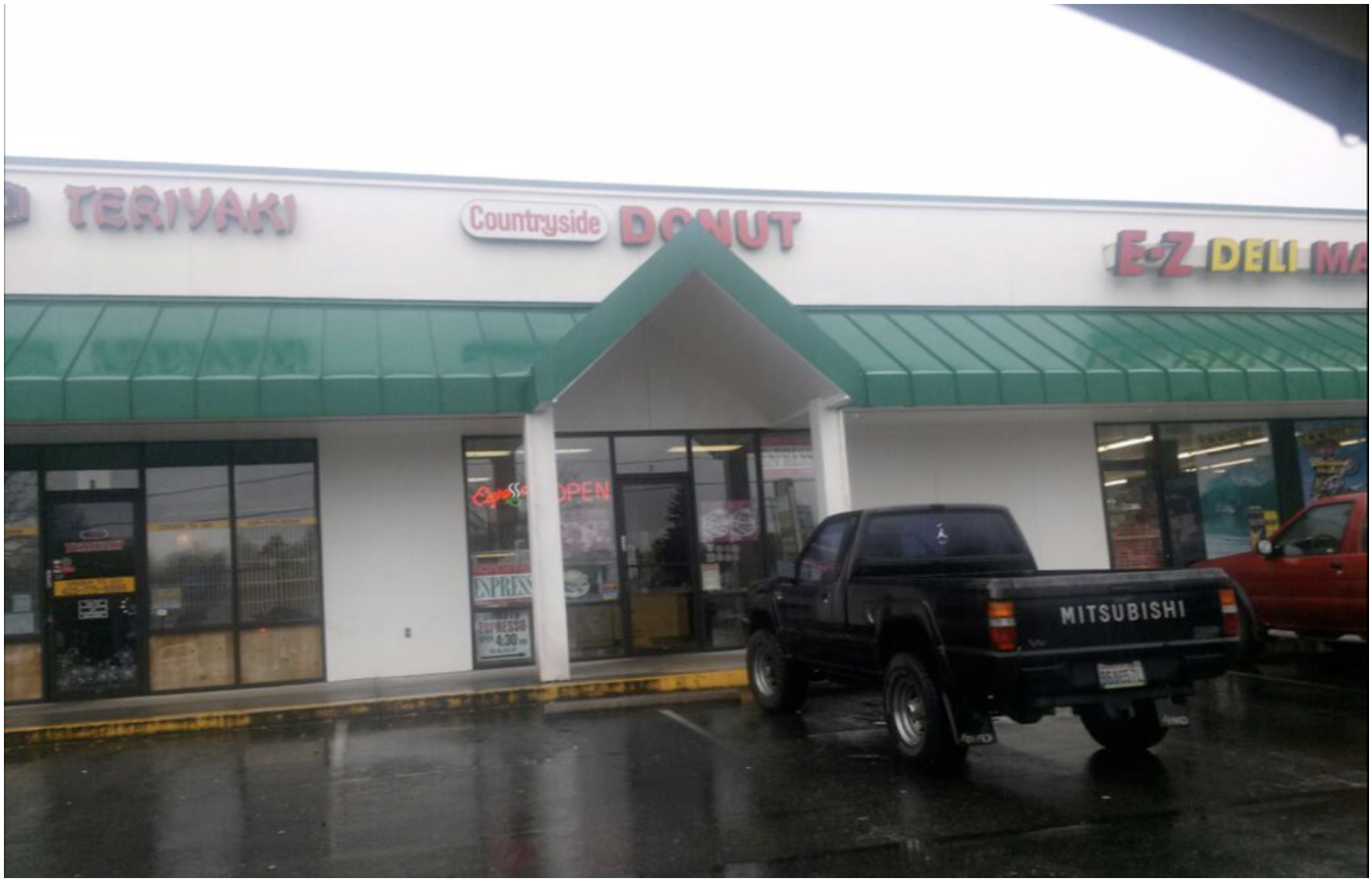
Countryside Donut is on 220th and 66th Ave. in Edmonds, WA


Those of us who succumb to the occasional urge for these nutritional hand-grenades, there is a glimmer of hope. Nestled in a small strip mall is the best doughnut shop around—possibly on the west coast—and their scant use of oil and sugar make these delicious treats almost healthy.

Countryside Donut has been open in the same spot every single day since 1976. And if you stop by this shop after 1 PM, you will most likely see their note, "Sorry, sold out, please come tomorrow" posted on the door. On weekends, it's best to arrive before 9 AM.

When you enter this humble store, you will see a short and svelte owner behind the counter: "The Donut Man" as he likes to be called. If he's not already helping another customer, his warm smile and genuine greeting will make you feel like you’re his favorite customer. Clipped articles and reviews of his unique doughnut recipes are subtly posted near his cash register, but by his down-to-earth demeanor, you’d never guess that he’s been interviewed by many—including the Discovery Channel.

Saying the police know where to go for the best doughnuts is an understatement; police from various cities and even the mayor are often spotted in this piece of Seattle culinary history to pick up their orders of the most amazing apple fritters.

The Donut Man bakes 4:00 to 7:00 every morning and serves people until he is sold out. He takes a short lunch break and has always eaten 3-5 doughnuts daily. When asked how he keeps such a trim shape, he happily points out the secrets to his doughnut success:

  • “They are dry on the bottom since they are much less oily.”
  • “I use very little sugar coating so they are not too sweet.”

There may be no such thing as a healthy doughnut, but these exquisite creations are the closest you’ll find—so enjoy another one!

Leaving safe HP for unpredictable China

· 4 min read
Guy Klages
Technical Writer, Co-founder FindFit (Ex-Microsoft, Ex-Apple, Ex-Netflix, Ex-Google)
Guy (Wulai) bungee jumping

Introduction

I left a stable software engineering role at HP in Mountain View to start an English school in China. I was reuniting with four former colleagues from Actual Living English (ALE), a highly successful experiential-learning school we'd worked together in Taiwan a few years earlier, to bet that the same model could work at 60 times the scale, in mainland China's ESL market.

I was confident I would do well because I had:

  • 5 years' experience teaching English to foreign exchange students in college
  • 3 years' experience writing and improving curriculum for other teachers
  • 3 years' experience studying Chinese and using it while living in Taiwan
  • 6 years' experience designing and improving database and CRM systems, starting with my computer science degree and continuing through my software engineering roles in Silicon Valley

The experiential method

AspectTraditionalExperiential (learn by experience)
Ratio1 teacher per 30 learners3 teachers per 30 learners
PositionsTeacher stands while learners sitTeachers and learners gradually move around the room while speaking
InteractionTeacher lectures from the frontTeachers wander through the room to observe and correct students when needed
Talk %Teacher talks 60% of the classStudents talk in pairs 90% of the class; teachers explain class materials and activities
VenueThe same classroom every timeDifferent venues that relate to the class topic
Class length1 hour2 hours

The calculated risk

What made it calculated rather than reckless was that we weren't testing a new idea, we were scaling a proven one.

We already knew exactly what drove ALE's success in Taiwan:

  • engaging content and activities
  • effective marketing plans
  • a proven sales strategy
  • membership acquisition and retention
  • teacher quality and personality
  • venue selection and negotiation

We partnered with a well-known TV personality in Asia for credibility and reach.

And we built a business plan detailed enough in its cost and revenue projections to secure seed funding for three years of operation.

The work

For three thrilling years, I worked three roles from 9 AM to 10 PM, six days per week:

  • Database creator and administrator of all activities, teachers, and content
  • Content creator of class activities, weekend adventures, daily SMS, and textbooks
  • English teacher of all class types, student levels, and incoming teachers

The classes

Examples of our 300+ English classes (called "Mini-Adventures") include:

TopicVenueContents of 2-hour class
Pottery makingA mall shop that teaches pottery making- Vocabulary and phrases related to pottery making
- 1-on-1 conversations about pottery, flatware, and art
- Hands-on clay molding to make objects
SCUBA divingA public swimming pool- Vocabulary and phrases related to SCUBA diving
- 1-on-1 conversations about deep-sea diving and ocean life
- Suiting up in a wetsuit and exploring the pool
Mexican cultureA Mexican restaurant- Vocabulary and phrases related to Mexican food and culture
- 1-on-1 conversations about Mexican history and culture
- Eating and drinking Mexican cuisine
Bungee jumpingA mountain bridge over a river- Vocabulary and phrases related to bungee jumping
- 1-on-1 conversations about extreme sports
- Suiting up and jumping off a bridge

The progress

ALE's experiential learning model was a genuinely new approach that worked in Taiwan where we found immediate traction with open-minded families eager for an alternative to rote memorization. But in China, traditional learning methods were deeply ingrained. It took many months of showing the Chinese concrete examples of how our learning method works before they were open to trying. After offering them a free week to attend our classes, membership exploded.

YearStudentsCities (schools)
11001
25002
312,000+6

By the end of the second year, enrollment was up 400%, and students weren't just attending class––many were now planning to study at colleges in the US, UK, and Australia.

By the end of the third year, we were teaching over 12,000 students in six major cities throughout China.

The result

The biggest result I'm proud of is that many students saw dramatic gains in both English ability and confidence and that dozens of them went on to study abroad, with some earning scholarships based on how well they'd learned to speak and write English.

Our success caught the attention of another ESL school that wanted to expand its presence in China. My business partners and I chose to accept the acquisition, allowing the business to expand beyond what we could have achieved independently.