KB - How to allowlist blocked applications

· One min read
Guy Klages
Ex-Meta Technical Writer, Co-founder FindFit

Introduction

VMware User Environment Manager comes with built-in templates for some common applications such as Office and Adobe Reader, which are optimized and typically work for most customers.

In some scenarios, customers want to create those templates themselves by using the UEM Application Profiler. The problem is that the Application Profiler has a built-in blocklist to make sure customers use the provided templates.

If you want to work around this limitation, there is an option available to allowlist those applications and still use the Application Profiler to create your own UEM Configuration files.

Solution

Add the following registry key to be able to profile applications that are blocked by default:

[HKEY_CURRENT_USER\Software\Immidio\Application Profiler\2.0\Profiling\Options\WhiteListedApps]

Create a reg_sz value with a random name, for instance 1 and make the value the executable name, as in:

"1"="acrord32.exe"
"2"="winword.exe"
"3"="outlook.exe"

KB - `Run Once` unwanted behavior

· One min read
Guy Klages
Ex-Meta Technical Writer, Co-founder FindFit

Symptoms

The checkbox Run Once for UEM configurations (like shortcuts) can still run multiple times when a Local User Profile is used. This could be unwanted behavior of UEM, and this KB describes how to change this behavior to really run once.

Resolution

User Environment Manager has support for a runOnceSpecial attribute in UEM XML configuration files (like shortcuts and printer mappings for example).

If this attribute is used, it only has effect if run-once is enabled, and the User Profile type is local.

This is how the behavior works technically:

  • If no run once flag file exists matching .[L-computername.1], we check for .[L-*.1].
  • If match is found, we consider the UEM action as having run before, but we also create .[L-computername.1] (in the standard way, so at logoff) to ensure that run-once logic remains working correctly in case the special attribute is cleared later on.

How to enable:

  • Manually edit the UEM configuration file (i.e. the Notepad.XML file for the shortcut to Notepad)
  • Add the XML-attribuut: runOnceSpecial="1"
  • The result looks something like this: ... runOnce="1 "runOnceSpecial="1" ...

KB - Replace a UEM license file

· 2 min read
Guy Klages
Ex-Meta Technical Writer, Co-founder FindFit

Symptoms

You have an expired UEM license file that needs to be replaced.

Resolution

VMware UEM stores the license file locally on each computer where the UEM agent is installed.

The license file is stored in the installation folder of the UEM agent. The default location of the license file is C:\Program Files\Immidio\Flex Profiles\FlexEngine.lic

The process of changing the license file is straightforward and you have two options:

  • Change the license file automatically when upgrading to a newer version of UEM
  • Change the license file manually
OptionDescription
AIf you run a newer version of the UEM installer, the MSI installer will ask you for a license file. If you specify a new license file, the MSI installer will copy that new license file to the local installation folder of UEM during the upgrade. This works for both manual and unattended MSI installations.
BIf you have a new license file, you can simply rename that file to “FlexEngine.lic” and copy it to the installation folder of the UEM agent, overwriting the exiting license file. This needs to be done for each computer where the UEM agent is installed.

With the release of UEM 9.0 a change has been made to the license file check; on computers where the Horizon Agent is installed, a UEM license file is not needed. In this case the MSI installer will not ask you for a license file.

13 active ways for employers to find you

· 7 min read
Guy Klages
Ex-Meta Technical Writer, Co-founder FindFit

13 active ways

Now that you've done all of the 15 passive ways for employers find you on LinkedIn, let’s talk about the active ways you can vastly improve your chances of being found by headhunters and potential clients.

More job details

You never know which word of your job descriptions will be searched for, so to appear in more search results, add more details of your current and previous job's roles, results, accomplishments, and tools involved.

Keywords in various ways

You never know which form or version of keywords people will use when searching, so use each form of your keywords in different places. For example, use "MS Word" in one place while "Microsoft Word" in a different place and "MS Office" in another place.

10 Recommendations

Letters of recommendation (3-5 sentences) from current and former managers/coworkers/teachers/classmates/students/clients give insight into your personality, strengths, and work ethic better than your resume.

Besides your samples, this section is the most important for recruiters and hiring managers to know you and your work ethic better.

When asking someone to give you a Endorsement on LinkedIn, keep in mind how busy they are and help them by writing the letter yourself, listing the skills you'd like them to recommend and discuss--and invite them to "...feel free to add/edit any part of the following sample letter..." Since editing is much easier than writing, they will change your words into their own and appreciate you giving them a clear sense of what you wanted to focus on.

The more Recommendations the better, so aim to have at least 10.

Invite people strategically

Inviting strangers in your industry can be mutually beneficial to both of you, but be careful to invite within LinkedIn's rules. Everyone starts with 5,000 Invites; and your ratio of "invited" to "accepted" is monitored.

If you keep a high ratio of accepted invites, you will automatically be given more; but if you invite too many strangers who do not accept you (or mark you as “I Don’t Know”), you will receive progressively stronger warnings. So heed any early warnings and stop inviting until your current invites are accepted or manually withdraw them (to stop the reminder emails that will continue for months).

Invite recruiters

Recruiters and sourcers are already connected with 1000's of hiring managers and all types of people and potential clients/customers, and they generally want to connect with people with fully filled-out profiles (which you did above, right?).

Use the Advanced Search for people who are:

  • 2nd-degree connections and Group connections only
  • Within 100 miles of your target city
  • "Recruiter" in the Job Title field. Repeat with "Sourcer" and similar titles.

Invite dream companies

Even if you don't know the decision-makers, knowing others in your dream company (or college) may lead you to another way in and become a degree closer to those officers or hiring managers.

When sending an Invite Request to a stranger, make sure:

  • They are open to Invites (listed at the bottom of their profile)

  • They have more than 300 contacts and have a photo

  • Your invite letter contains:

    • a brief introduction of yourself
    • how you came across their name (anything you have in common)
    • NO emergency/urgent/emotional questions or requests.
      Just like real-life, 1st impressions matter. Email questions later.
    • Most importantly, an offer to help them or be a resource to them to show that you are interested in "giving" more than "taking".

Invite L.I.O.N.s

LIONS (LinkedIn Open Networkers) are great to connect with since there's a high chance they will accept your invite.

If you invite too many people who deny your Invite Request by marking you as "I Don't Know", then LinkedIn will require your future Invite Requests to have the recipient's email address. So invite people who want to be added and contain the word “LION” (or "L.I.O.N.") in their profile.

Target your invites

Increase your odds of having your invites accepted by inviting those who probably want to connect with you.

Use the Advanced Search to perform the following searches of people who are:

  • 2nd-degree connections or Group connections only
  • Within 100 miles of your target city
Contain in the Last Name fieldDescription
LION or L.I.O.N.LinkedIn Open Networker
open networkerThey are open to connect with new people
.comThey list their email address
add meThey want you to add them
no idk or will not idkThey won't mark you as "I Don't Know"
+They are Premium members who pay to expand their network
most connectedThey are proud to be one of the Most Connected members
top linkedThey are proud to be one of the Top Linked members
2k, 3K, ...They are proud of their 1000s of connections
PlusThey are proud of their 1000s of connections
Let's connectThey want you to add them to grow their network

Since some people take a week (or a month) to respond to an Invite, perform each search type no more than once per week.

The longer you wait between performing a search type again, the more time you allow people to respond to your previous Invite Requests, and the more varied your search results will be.

Many mutual friends

Add people you have many (10+) mutual connections with by:

  1. Hover over the Add Connection icon in the upper-right.
  2. Click the See All link (to the right of "People You May Know").
  3. Look for numbers larger than 10 in the photo's lower-right corner.
  4. Right-click that person to Open In A New Tab.
  5. Read through their profile and send them a personalized Invite.

People Also Viewed list

After a person accepts your Invitation, look at their profile to see their "People Also Viewed" list on the right side. This list is a nice balance of strangers who have something in common with the person you just added—such as their company, job title, city, etc. Some of these people might be people you'd like to know as well.

Networking events

When you go to in-person networking events, you'll meet all types of people from all industries and learn things you never expected. There will probably be some salesmen or insurance reps or other types you don't want to meet, but overall, most people there want to share their knowledge and help professionals such as yourself; so keep an open mind and look for ways you might be able to help them in return via your skill set or business contacts. My favorites include:

VenueDescription
Oriented.comMeets every month on the last Thursday in cities worldwide
MeetUp.comNotifies you of events based on your interests
Toastmasters.orgImproves your speaking skills while meeting kind people
TED.com/tedx/eventsMeet smart, interesting, helpful, down-to-earth folks
Google.comEnter networking events + your target city

Build your portfolio

Use site like elance.com to sign up and make low bids to win small contracts on jobs you can do quickly so you can add those projects to your public portfolio (to attract other companies and jobs) while making a little money at the same time.

Volunteer part-time

At any local school, college, library, TEDx event, Toastmasters, networking event or whatever interests you! You'll enjoy the experiences, learn something new and just might meet your future co-worker or manager there!


In summary, see my profile at linkedin.com/in/klages as an example (feel free to add me), and let me know if you have any questions in LinkedIn's messages.

15 passive ways for employers to find you

· 8 min read
Guy Klages
Ex-Meta Technical Writer, Co-founder FindFit

15

Job hunting is a full-time job; and these are the things on LinkedIn that you can do to jumpstart your job-search or client-search while you're still working.

You already know the basic advantages of a LinkedIn profile:

  • All your friends and contacts in one place—updated by them.
  • A free website to showcase your skills, experiences, certificates, articles, etc.

...but did you know that LinkedIn supports media? Build your portfolio of work samples:

  • Documents
  • Photos / screenshots
  • Powerpoint presentations
  • Excel sheets
  • Videos

Before hiring or doing business with anyone, people and companies google a person's name. And the best way to "control" what those people/companies see is by having a LinkedIn profile summarize all the things you want people to read—in the order you want—since LinkedIn profiles are always in the top three Google Search results...

Since my current and six previous companies in the U.S. and Asia found me on LinkedIn (while I was working on my own projects), I'd like to share with you what I learned from other job-hunters, articles, resume workshops, and interview workshops that worked for me and dozens of my friends and clients.

It's a 3-step process:

  1. Add all your resume info, skills, accomplishments and samples.
  2. Add all the people you've ever worked with or studied with.
  3. Eventually, one of your contact's friends (or that friend's friend) will see you while searching for someone with your skills.

This is a long article that details how to make the above third step a reality, so I strongly suggest you read each of the following items at least once.

Turn off Activity Broadcasts

To prevent anyone from receiving emails when you make any edits to your LinkedIn profile:

  1. Hover over your photo/name in the upper right.
  2. Click Privacy & Settings.
  3. Re-enter your password.
  4. In the Profile section, click Turn on/off your Activity Broadcasts.
  5. Deselect the checkbox.

Add all of your names

If you speak another language, adding the 漢字, हिंदी, etc. versions of your name will make you appear more international and found by your other name.

Add your close-up, smiling, color photo

To show you're warm, open, honest, and businesslike (in a nice shirt), add a high-resolution, passport-like photo.

If you're shy, find someone to make a realistic sketch of you.

People/Colleges/Companies want to choose a human, not a hyperlink.

Personalize your URL

Replace the long default URL with a personalized one such as linkedin.com/in/myname (the shorter, the better) so it can be used on your resume, business cards, website, any posters or marketing materials--and most importantly, verbally.

  1. Click Edit Profile from the top menu bar.
  2. Your URL is under your profile photo.
  3. To the right of the URL, click the gear icon.
  4. In the upper right (Your Public Profile URL), click the blue pen icon.

Add all experience info

  • All companies, volunteering, part-time jobs, etc.
  • Their cities, your job duties, your accomplishments, and value you added.
  • Single-line bullet list since bullets are easier to read than paragraphs.
  • For overseas jobs, use the company's name in English and its native language.

Never add an experience of "LOOKING"

  • "Looking" is not a company.
  • Companies want to hire someone working, not idle or unemployed.
  • Appear employed: volunteer, teach, mentor, study, advise, or help others in any way—these are also a great way to network and meet a future employer or coworker!

Add "Honors & Awards"

  • Add the "Honors & Awards" section to your profile.
  • Summarize (re-list) the accomplishments you've achieved in your school/career in single-line bullet points.
  • (add the company name in parenthesis)

Add all education info

  • All schools back to high school with their degree--and don't forget their city.
  • For overseas schools, include the institution's name in English and its native language.
  • Years are not needed.

Add all "Languages"

  • Add the "Languges" section to your profile and list all those you speak or have studied.
  • Add your level of fluency in each--including your native language
  • This makes you appear more international and social.

Add all "Certifications"

If you have earned any certificates or completed any trainings, add the "Certifications" section along with all of your certifications.

Add all your work samples

Pictures are worth a thousand words, and employers/recruiters want to see what you have actually made and are capable of!

Buy a domain with your name in it (prices have come way down!) and use PrestaShop or other website-making tool (there are so many!) and then add any type of file that shows your skills for managers to look at any time, especially:

  • Your resume in PDF format.
  • Reference Letters from previous managers and teachers.
  • Samples of anything you've made or written.
  • If possible, add Before-and-After screenshots of things you've improved.
  • Demos, presentations, statistics, graphs, etc. of your work and skills

Add a Summary

Many people forget this section at the top, but it's a great place to:

  • Add a brief paragraph of your skills, career, goals, etc. to show your personality.
  • Add your email address and phone number so non-contacts can reach you.
  • Add your resume in PDF format.
  • Add as your favorite work samples. Each job should also list work samples you did at that job, but copy your favorites to the Summary section to show them off.
  • Add your professional email address. If you don't have one, open a new email address that is close to your full name.

Add more "Groups"

Add Groups to:

  • meet more people of a certain crowd/industry/company/etc.
  • show your strengths in certain skills/tools/languages/etc.

Keep adding more Groups until you reach LinkedIn's maximum of 50.

Add more "Interests"

Sports/hobbies/forums that you like to play/watch/discuss should each be listed and separated by a comma. These are things you might have in common with contacts, and they make great conversation starters.

One man I met at a Seattle Translation event noticed I played badminton in college and lived in Taipei, so he asked if I knew a person he played badminton with in Taipei who went to my college--and that person was a classmate of mine!

List your strongest Skills

In the "Skills" section, add every skill you have so your connections can simply click the "+" button to endorse your skills. This is more meaningful (and believable) than self-claimed skills on a resume.

By default, the Skills are listed in descending order (most to least endorsed), but you can change that order to emphasize certain skills:

  1. Hover over Profile and click Edit Profile.
  2. Hover over the 2nd group of also knows about Skills and click anywhere on it.
  3. Click a Skill and drag it to the position you want it displayed.

To your publications, personal website(s), blogs, patents, etc.


... after you've done all those steps ...

Add everyone you know

Add everyone you've talked with from every:

  • school
  • job
  • business card
  • family activity
  • networking event

The more connections you have, the more you will appear social and a team player.

When building a network, you want as many people as you know/trust; and when adding them, they'll appreciate you listing what you've been doing and what you're interested in now.

High school might seem long ago, but we've all had some great friendships back then that we lost touch with and can now easily find. Even the "jerks" in high school are not the same people now--especially if they're parents now--and they're eager to reconnect.

Even if certain friends aren't on LinkedIn now, check again after a few months since more and more people are joining all the time.

Adding people you know is great, but it's their friends they trust that makes LinkedIn such a powerful tool. Whether you're looking for a dentist, a programmer, a teacher, an accountant, a new client or a job--when you search LinkedIn for people, your friends' friends will appear at the top of the search results; so the more connections you have, the more trustworthy search results you'll have.

Send Invite Requests

When sending a LinkedIn Invite Request, never use the default generic message. Be sure to include a personal message with:

  • How you know them.
  • Anything you have in common.
  • An offer to help them in whatever you're strong in.

Get Google Voice

Open a free Google Voice account at voice.google.com:

  • to have a phone number that converts voicemail into text messages
  • to notify you when you're traveling abroad or are in a place without reception
  • to block spam callers

Eventually, many recruiters or hiring managers will be calling you when you don't want to be disturned, and Google Voice makes it easy to "turn off" all calls by sending them straight to voicemail. Having a Google Voice number on your resume that forwards to your cell only when you're job hunting will reduce your stress greatly.


In summary, see my profile at www.linkedin.com/in/klages as an example (feel free to connect with me), and message me if you have any questions.

After setting up your profile with these passive ways, then check out the 13 active ways to make recruiters and clients find you on LinkedIn.


The healthier doughnut

· 2 min read
Guy Klages
Ex-Meta Technical Writer, Co-founder FindFit

Donut

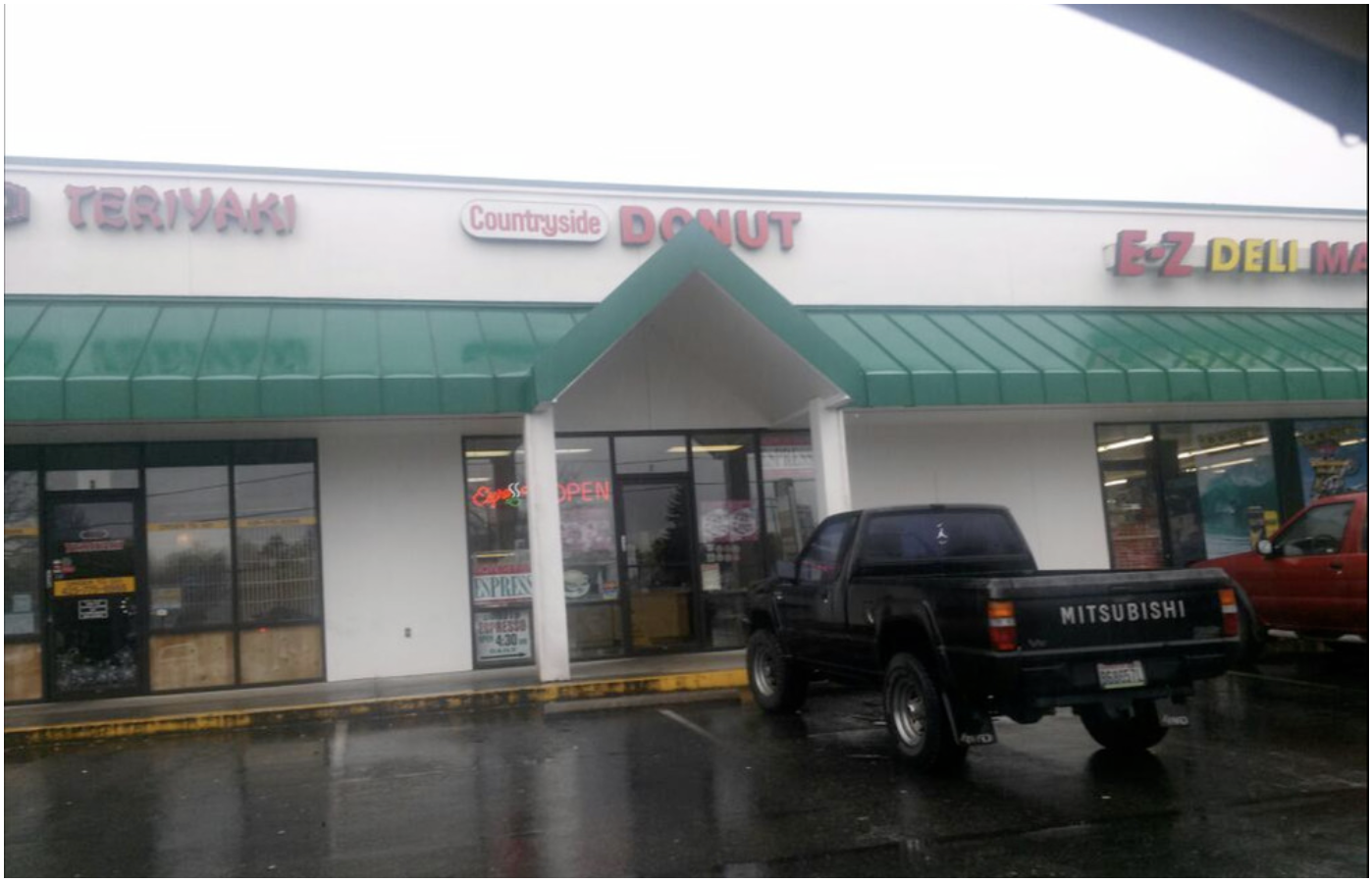
Those of us who succumb to the occasional urge for these nutritional hand-grenades, there is a glimmer of hope. Nestled in a small strip mall on 220th and 66th Ave. in Edmonds is the best doughnut shop around—possibly on the west coast—and their scant use of oil and sugar make these delicious treats almost healthy.

Countryside Donut has been open in the same spot every single day since 1976; but if you stop by this shop after 1pm, you will most likely see their note, "Sorry, sold out, please come tomorrow" posted on the door. On weekends, it's best to arrive before 9am.

When you enter this humble store, you will see a short and svelte owner behind the counter: "The Donut Man" as he likes to be called. If he's not already helping another customer, his warm smile and genuine greeting will make you feel like you’re his favorite customer. Various articles and reviews of his unique doughnut recipes are subtly posted near his cash register, but by his down-to-earth demeanor, you’d never guess that he’s been interviewed by many—including the Discovery Channel.

Saying the police know where to go for the best doughnuts is an understatement; police from various cities and even the mayor are often spotted in this piece of Seattle culinary history to pick up their orders of the most amazing apple fritters.

The Donut Man bakes 4-7am every day and serves people until he is sold out. He takes a short lunch break and has always eaten 3-5 doughnuts daily. When asked how he keeps such a trim shape, he happily points out the secrets to his doughnut success:

“They are dry on the bottom since they are much less oily” “I use very little sugar coating so they are not too sweet” There may be no such thing as a healthy doughnut, but these exquisite creations are the closest you’ll find—so enjoy another one!